As an Amazon Associate this site earns from qualifying purchases.
Comparison table
| Mount | Price | TV size | Max weight | Max VESA | Extension | Retracted | Swivel | Tilt |
|---|---|---|---|---|---|---|---|---|
| Perlegear UL Listed | Check price on Amazon | 42–90" | 132 lbs | 600x400mm | 16.6" | 3" | ±50° | +5°/-15° |
| USX Mount 42-90" (B07CXF452P) | Check price on Amazon | 42–90" | 132 lbs | 600x400mm | 16.49" | 2.40" | ±45° | +5°/-15° |
| USX MOUNT 37"-84" (B07PQHH5PB) | Check price on Amazon | 37–84" | 120 lbs | 600x400mm | 15.02" | 2.62" | ±45° | +5°/-15° |
| Mounting Dream MD2380 | Check price on Amazon | 32–70" | 99 lbs | 400x400mm | 17.5" | 3.4" | Not stated | +5°/-15° |
| USX MOUNT 32-70" (B0CSK16X7B) | Check price on Amazon | 32–70" | 99 lbs | 400x400mm | 13.89" | 2.59" | Not stated | +5°/-12° |
| ELIVED 26-60" | Check price on Amazon | 26–60" | 77 lbs | 400x400mm | Not stated | Not stated | 90° each way | +5°/-10° |
Quick answer: For most people mounting a 42–90" TV, the Perlegear UL Listed Full Motion TV Wall Mount for 42-90" TVs up to 132lbs is the one to beat — it's UL listed, holds 132 lbs, and swivels ±50°. If your TV is 32–70" and you want to spend as little as possible, the USX MOUNT Full Motion TV Wall Mount for Most 32-70 inch TVs up to 99 lbs, Wall Mount Bracket with Dual Articulating Arms, Swivel, Tilt, Max VESA 400x400mm, TV Mount Fits 12”/16” Wood Studs covers the same ground for under $30. For a small TV in a corner or a bedroom, the ELIVED Full Motion TV Wall Mount for 26-60" TVs, Max VESA 400x400, 77 lbs. mounts to a single stud and swings 90° each way.
Full motion mounts — also called articulating or extending mounts — are the ones that pull the TV off the wall on jointed arms so you can swivel it toward the kitchen, angle it away from a window, or reach the ports on the back without a flashlight and a prayer. They cost more than a fixed plate and they hang more weight off your studs, which is exactly why the specs below matter more than the marketing.
Perlegear UL Listed Full Motion TV Wall Mount — Best Overall
The Perlegear UL Listed Full Motion TV Wall Mount for 42-90" TVs up to 132lbs is the only mount here that carries a UL listing, and that's the headline. Perlegear states it's tested to 60,000 motion cycles and 4x the rated load — a meaningful claim when you're hanging a 100 lb OLED on jointed steel arms that will get pushed and pulled for years.
Finding the right best full motion tv wall mounts comes down to matching the features to how you will actually use it.
It fits 42–90" TVs with VESA patterns from 200x100mm to 600x400mm, and it's the most flexible on wall type: 8", 12", or 16" wood studs, plus concrete and brick. If your studs are 24" apart, Perlegear says to contact them for an extension bracket rather than improvising.
Motion is the other reason it leads. You get ±50° swivel — the widest here — plus tool-free +5°/-15° tilt and ±3° post-install leveling. It extends 16.6" and retracts to a 3" low profile. The construction list is specific: robot-welded, 30% thicker arm, reinforced wall plate, solid steel shaft, double-layer hooks, security locks, anti-drop edges. The open wall plate is designed to fit around an in-wall cable management kit, which is a small detail that matters if you're chasing a clean, floating-TV look.
At $54.99 it's the priciest option in this roundup, and it's still cheap relative to the TV it's holding.
USX Mount Full Motion TV Wall Mount for 42-90 inch — Best for Big TVs on a Budget
The USX Mount Full Motion TV Wall Mount for Most 42-90 inch Flat Screen/LED/4K, TV Mount Bracket Dual Swivel Articulating Tilt 6 Arms, Max 16" Wood Studs, VESA 600x400mm, Holds up to 132lbs matches the Perlegear on the two numbers most people shop by — 42–90" range, 132 lb capacity, VESA up to 600x400mm — for $49.99 instead of $54.99.
Where it gives ground is motion. Swivel is ±45° rather than ±50° (and USX notes the real maximum depends on your TV's depth and mounting position, which is honest and true of every mount here). Tilt is +5°/-15°, with ±3° post-install leveling. It extends 16.49" and retracts to 2.40" — the tightest retraction of the large-TV options, so it sits closer to the wall when parked.
One installation note worth reading before you drill: USX specifies that for 16" wood studs you screw the bolts into the outermost edge of the holes on both side wall plates. It's a 16"-max mount, so wider stud spacing means a different bracket. Concrete anchors and M8*50 screws aren't in the box but are available from USX on request.
USX MOUNT Full Motion TV Wall Mount for 32-70 inch — Best Budget Pick
At $29.74, the USX MOUNT Full Motion TV Wall Mount for Most 32-70 inch TVs up to 99 lbs, Wall Mount Bracket with Dual Articulating Arms, Swivel, Tilt, Max VESA 400x400mm, TV Mount Fits 12”/16” Wood Studs covers the size range that most living rooms actually use — 32 to 70 inches, up to 99 lbs, VESA 75x75mm through 400x400mm.
The compromise is tilt range: -12°/+5°, which is a little less downward travel than the -15° mounts here. If you're mounting high above a fireplace, that matters. At normal seated height it doesn't. It extends 13.89" and retracts to 2.59", and it mounts to 12" or 16" wood studs, concrete, or brick — the 12" stud compatibility is genuinely useful in older homes and won't be found on every mount at this price.
Cold-rolled steel construction, three-step install (brackets to TV, plate to wall, TV to plate), and USX's US-based support will send concrete anchors, M8x50mm screws, or missing parts directly rather than sending you to the hardware store.
Mounting Dream MD2380 TV Wall Mount for 32-70 Inch — Best for Maximum Reach on Mid-Size TVs
If your TV needs to swing well clear of the wall — a corner install, a kitchen sightline, a room where you watch from two very different spots — the Mounting Dream TV Wall Mount for 32-70 Inch Television,Mount with Swivel and Tilt, Full Motion Bracket with Articulating Dual Arms, Fits 16inch Studs, Max VESA 400X400 mm, 99lbs, MD2380 pulls out to 17.5", the longest extension in this group, and retracts to 3.4".
It's a 6-arm articulating design, robot welded, rated to 99 lbs across 32–70" TVs with max VESA 400x400mm. Tilt is +5°/-15° with ±3° post-install leveling. Small touches show thought: a paper drilling template, pre-labeled hardware bags, and a dedicated storage spot for the Allen key.
Two hard constraints. It's designed for standard 16" studs — Mounting Dream points to the MD2380-24K if your spacing runs 16", 18", or 24". And it is explicitly not for drywall-only installation; concrete anchors (φ10x50mm) are available on request. At $37.99 it's the mid-size mount to buy when reach is the priority.
USX MOUNT Full Motion TV Wall Mount for 37"-84" — Best for Wide Stud Spacing on Large TVs
The Full Motion TV Wall Mount for Most 37"-84" Flat Screen TV, Swivel or Tilt TV Wall Bracket with Dual Articulating Arms, for 12"-16" Wood Studs, Max VESA 600x400mm, Load 120 lbs by USX MOUNT is the large-TV mount that also handles 12" stud spacing, not just 16". If you've measured your studs and found 12" on center, this is the one on this list built for both that and an 84" screen.
USX lists it for 37"–84" TVs with VESA 200x100mm to 600x400mm and calls out compatibility with Insignia, TCL, Samsung, Hisense, LG, and Sony among others. Motion: ±45° swivel, +5°/-15° tilt, ±4° post-installation leveling — the widest leveling adjustment here, which is the spec you'll appreciate if your wall plate ends up a hair off. It extends 15.02" and retracts to 2.62".
Note the weight rating is stated two ways in the product data: 120 lbs in the title, 132 lbs in the feature text. Treat the lower number as your working limit and leave margin. $39.98.
ELIVED Full Motion TV Wall Mount for 26-60" TVs — Best for Corners and Small Rooms
The ELIVED Full Motion TV Wall Mount for 26-60" TVs, Max VESA 400x400, 77 lbs. is $16.98 and does something none of the others do: it's a single-stud design, which ELIVED specifically recommends for wall corners.
Swivel is the standout — 90° left or right, double the ±45° on most of the large mounts. That's what makes it work in a bedroom or a kitchen corner where the TV needs to face a completely different direction than the wall it's bolted to. Tilt is up 5° and down 10°, with ±5° screen leveling.
The limits are real: 26–60" TVs, 77 lbs, VESA 100x100mm to 400x400mm, and a 3-arm cold-rolled steel structure. Extension distance isn't stated. Three cable covers are included. Like the others, ELIVED says do not install into drywall alone.
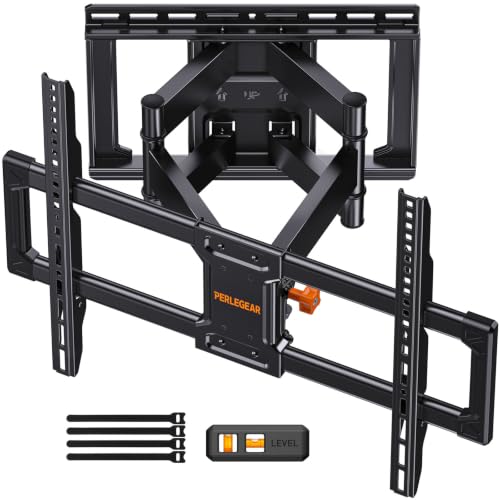
- Universal Design: Perlegear
- Built for Stability: This 75 inch TV wall mount is UL-listed, keeping your large screen securely mounted. Engineered for dependable strength, it is tested to withstand 60,000
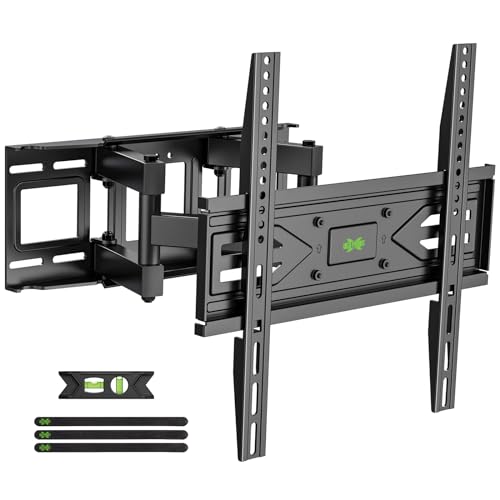
- Universal TV
- Upgrade Your Viewing: This swivel TV mount tilts -12°/+5°to reduce glare, and swivels the TV left or right according to your seat position for the best viewing angle. The full
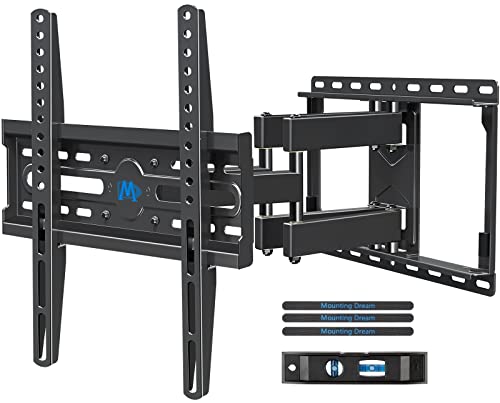
- Universal TV
- Enhance Viewing Experience: This full motion TV wall mount tilts TV up 5° and down 15° to reduce glare, and swivels TV left or right according to your seat position. Pull out to
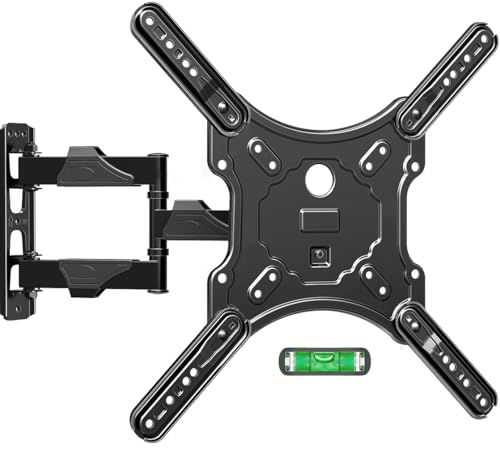
- Universal TV
- Optimize Viewing Experience - The single stud swivel design is great for wall corners. It gives you the maximum flexibility in positioning your TV to fit your environment for a
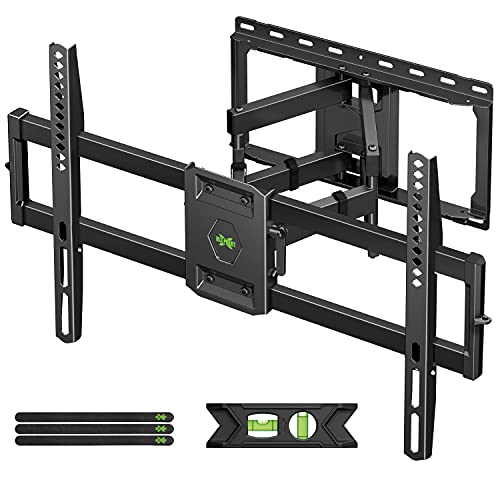
- Universal Design: This full motion TV mount fits for most of 42-90 inch TVs up to 132lbs with VESA size 200*100mm to 600*400mm available and max 16" Wood Stud space. Not perfect
- Adjustable View Comfortable : This TV bracket with dual articulating arms includes +5° /-15° tilt, ±45°swivel( maximum swivel angle depends on your TV). Want to more swivel angle?
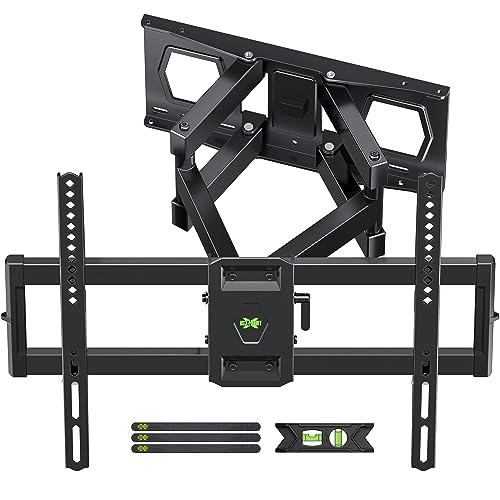
- 【UNIVERSAL TV
- 【SAVING SPACE & HEAVY DUTY】This full-motion TV mount bracket can pull out to 15.16” and retract back to 2.74”, which saves valuable space and make your house look neater. The
How to choose
Measure your studs first, not last. This is where most returns come from. The Mounting Dream MD2380 is built for standard 16" studs. The USX MOUNT 32-70" and the USX MOUNT 37"-84" handle 12" or 16". The Perlegear handles 8", 12", or 16" and offers an extension bracket for 24" spacing. The ELIVED mounts to a single stud. Find your studs, write down the spacing, then shop.
Check VESA and weight on your actual TV. VESA is the hole pattern on the back of your screen, measured in millimeters. A 55" TV is usually 400x400mm or smaller; large 75–85" sets often need 600x400mm, which rules out the 400x400mm mounts regardless of how much weight they hold. Every manufacturer here tells you to verify size, weight, and VESA before buying — take them seriously.
Extension is a room-layout decision. If the TV only ever faces the couch, you barely need it. If you want to watch from the kitchen or swing the screen to reach the ports, more reach wins: 17.5" on the Mounting Dream, 16.6" on the Perlegear, 13.89" on the budget USX. Retracted depth matters too — 2.40" to 3.4" here, and that difference is visible when the TV is parked.
Swivel matters more than tilt for most people. Tilt fixes glare from a window or a high mount; ±45° to ±50° swivel is what actually redirects the picture at a different seat. The ELIVED's 90° is the exception, and it exists because single-stud corner installs need it. Note that the real-world swivel maximum depends on your TV's width and how deep the mount sits — USX says this explicitly, and it's true across the category.
Nobody here approves drywall-only installation. Mounting Dream and ELIVED say it outright. Studs, concrete, or brick. Several brands ship without concrete anchors deliberately, to stop people from sinking them into hollow drywall, and will mail them to you on request.
UL listing is the tiebreaker on expensive TVs. Only the Perlegear carries one here. On a $2,000 screen, that third-party safety verification is worth the $5 to $25 premium over the rest of this list.
FAQ
What's the difference between "full motion," "articulating," and "extending"? Nothing meaningful — they're marketing terms for the same category. All six mounts here have jointed arms that let the TV pull away from the wall, swivel side to side, and tilt. "Full motion" is the most common label; "articulating" describes the arms; "extending" describes what it does.
What's the best full motion mount for a 32" TV? The ELIVED, if you want the widest swivel and lowest price — it covers 26–60" and 77 lbs, far more than a 32" TV needs. The USX MOUNT 32-70" is the alternative if you might upgrade to a larger screen later, since the same mount carries you to 70" and 99 lbs.
For a 55" or 65" TV, which one? Both sizes fall inside the range of five of these six mounts, so the deciding factors are your stud spacing, your TV's VESA pattern and weight, and how far you need it to extend. A typical 55" or 65" set is well under 99 lbs, so the Mounting Dream MD2380 or the USX MOUNT 32-70" are usually enough. Step up to the Perlegear if your TV is heavy, your VESA is 600x400mm, or you want the UL listing.
Should I read the reviews before buying? Yes — go check the current customer reviews and Q&A on each product page yourself, especially for reports about your specific TV brand and size. Fitment issues tend to surface there before they surface anywhere else.
Related guides
- Best TV stands and media furniture - TV stands, entertainment centers, media consoles, TV wall mounts, floating media shelves, gaming desks, audio racks, cable management with High Value Assets
- About Mediafurnish: Our Editorial Team and Research Standards
- Get a Best TV stands and media furniture - TV stands, entertainment centers, media consoles, TV wall mounts, floating media shelves, gaming desks, audio racks, cable management Quote
Key Takeaways
- Choosing the right best full motion tv wall mounts means matching the key features to your specific needs and budget
- Read real customer reviews and check the return policy before you commit
- Compare value across models — the priciest option is not always the best fit