As an Amazon Associate this site earns from qualifying purchases.
Quick answer: If you searched "SANUS VuePoint tilting TV mount," the thing you almost certainly want is a simple, low-profile tilt bracket that gets a big screen flat against the wall and lets you angle it down over a fireplace. The current SANUS tilt lineup on Amazon is sold by size and weight rating rather than by sub-brand name, so the practical move is to match your TV's diagonal, weight and VESA pattern instead of chasing the "VuePoint" label. For most 42"–90" TVs, the SANUS Tilting TV Wall Mount for 42”–90” TVs up to 130 lbs – Low Profile TV Mount with Smooth, Tool-Free Tilt to Reduce Glare – Fits 16” & 24” Studs, Concrete & Block at $49.99 is the one that lines up with what people describe when they say "VuePoint tilt."
Specifications
| Spec | SANUS Tilting TV Wall Mount for 42”–90” TVs up to 130 lbs |
|---|---|
| Screen size range | 42" – 90" |
| Maximum TV weight | 130 lbs |
| VESA compatibility | Not stated (listing says "common VESA patterns") |
| Tilt range | 12° down, 10° up |
| Tilt adjustment | Tool-free |
| Extension from wall | Up to 5.2" |
| Minimum depth (pushed back) | 2.9" |
| Lateral adjustment | Slides left/right on wall plate (distance not stated) |
| Wall types | 16" and 24" studs, concrete, block |
| Cable access | Extend to reach HDMI/power without unmounting |
| Price | $49.99 |
| Warranty | Not stated |
| Included hardware | Not stated |
A note before the specs: "VuePoint" and "VisionCurved" (the VMPL50B, for example) are SANUS names that circulate in search results but are not the titles of the listings covered here. If you specifically need a VisionCurved part number, verify that model separately — nothing below is that product. Likewise, "SANUS Lake Point" is a TV stand, not a wall mount, so if that's what you're after, you're in the wrong aisle.
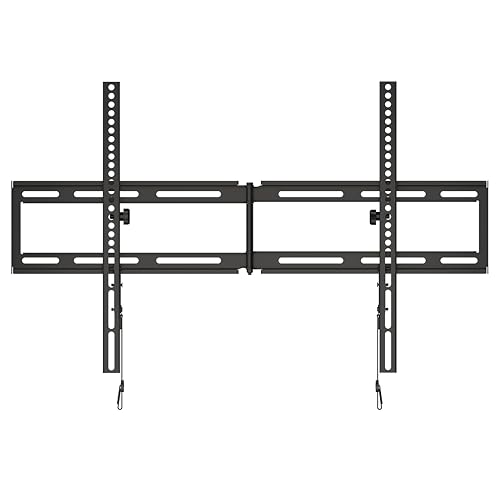
- Universal Tilting TV Wall Mount for Large TVs: Fits most 42”–90” flat-screen TVs up to 130 lbs with common VESA patterns, including popular LED, OLED, and QLED TVs from brands
- Low-Profile Design for a Clean Look: Push the mount back to hold your TV just 2.9 inches from the wall for a sleek, low-profile appearance that gives your setup a clean, built-in
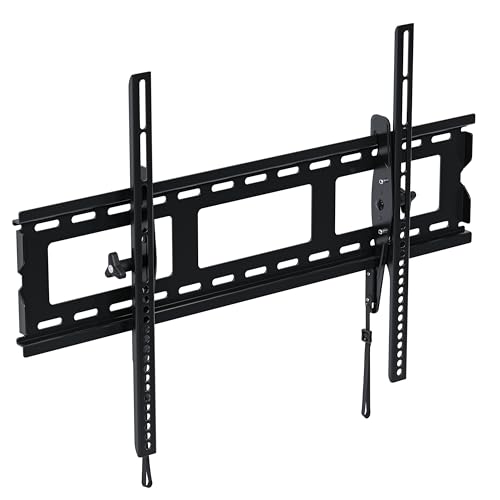
- Universal Fit, Zero Stress: This tilting TV wall mount works with most 37"–80" TVs up to 130 lbs, including Samsung, LG, TCL & more. Compatible with VESA patterns 100x100 to
- Glare? We Don't Know Her: Tilt up to 10º without tools to fight glare from windows or lights. Whether it’s movie night or game day, this tilting TV wall mount helps you find the
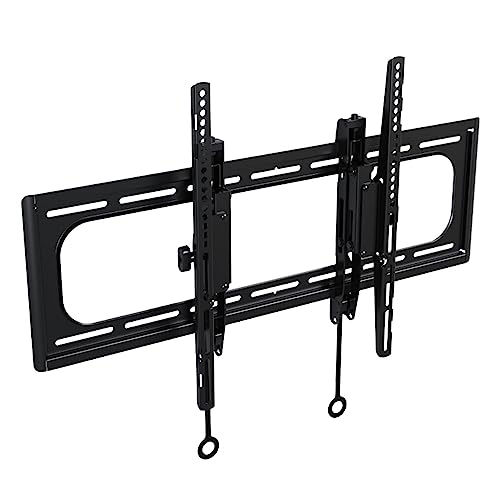
- ADVANCED TILT FOR BETTER VIEWS – This tilting TV wall mount gives you up to 12° of tool-free downward tilt to reduce glare and improve comfort, making it a great TV mount for
- FITS MOST 46" TO 90" TVS – Universal TV wall mount fits most flat screen, LED, OLED, and smart TVs from brands like Samsung, LG, Sony, TCL, Vizio, Hisense, and Insignia, with VESA
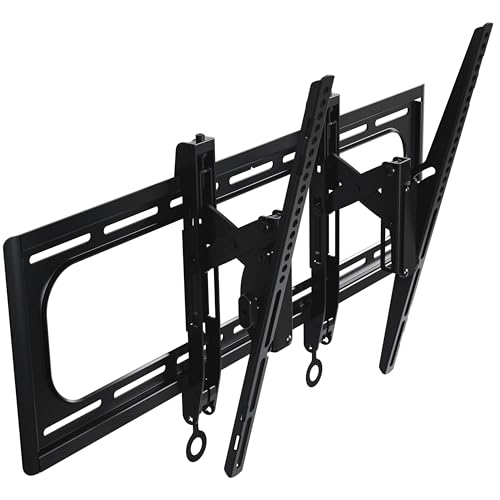
- Universal Compatibility: Built to support all major TV brands, this wall mount TV bracket fits 42”–90” TVs and accommodates VESA patterns ranging from 200x100 to 600x415 for
- Picture Perfect View: Tilt 12 degrees down and 5 degrees up to reduce glare, improve comfort, and get the perfect angel for your TV. 5.7 inches of extension allows even the
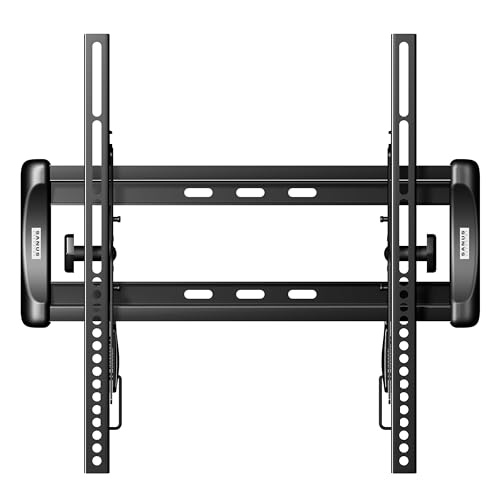
- Universal Compatibility: This tilting TV mount fits screens 32" to 55" up to 80lbs from your favorite brands like Samsung, Vizio, TCL, LG and more
- Tool-Free Tilt: Fight glare with the touch of a finger, tilting your TV 10 degrees down or 5 degrees up to enhance your view and get better access to TV cables
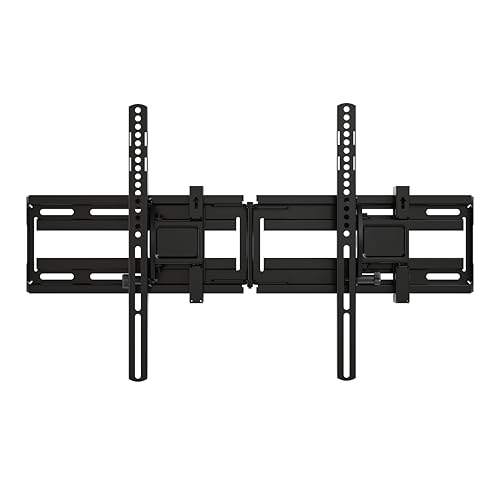
- Universal Extendable TV Wall Mount for Large TVs: Fits most 32”–90” flat-screen TVs up to 110 lbs, including popular LED, OLED, and QLED TVs from brands like Samsung, LG, Sony
- Designed by SANUS AV Experts: Engineered by SANUS using decades of TV-mount design experience, delivering smooth motion, reliable strength, and thoughtful details you’ll
Who this mount is for
You're the target buyer if your TV is going above a fireplace or higher than eye level. That's the entire reason a tilt mount exists. The 12° of downward travel plus 5.2" of extension work together — on a large panel, the mount has to come off the wall before the screen has room to angle down without the top edge hitting drywall. A tilt bracket with no extension physically cannot deliver full tilt on a 75"–85" set.
Finding the right sanus vuepoint tilting tv mount review comes down to matching the features to how you will actually use it.
It's also a good fit if you want the screen close to the wall when you're done adjusting. Push it back and you're at 2.9". That's a clean, near-flush look, and it means the mount disappears rather than announcing itself.
The stud language matters more than it sounds. Support for 16" and 24" stud spacing plus concrete and block covers most US framing and a lot of basement and condo walls. And the side-to-side slide on the wall plate is the feature you'll be grateful for when the studs are 9" off from where you wanted the TV centered — you mount to the stud, then shift the TV to where it looks right.
Who should skip it
- Anyone who needs to swivel. This is a tilt mount. It moves up and down. If you want to pull the TV out and angle it toward a kitchen or a side chair, you need a full-motion arm, and no amount of extension here substitutes for that.
- TVs under 42" or over 130 lbs. Below the size range there are cheaper, smaller brackets; above the weight rating, don't improvise.
- Anyone mounting at seated eye level. If the screen center lands where your eyes already are, tilt does nothing for you and you're paying for a mechanism you'll set once at 0° and never touch.
- Renters facing a wall with no accessible studs. Concrete and block are supported, but hollow drywall with no framing is not a scenario any of these mounts solve.
The honest trade-offs
Extension is not full motion. 5.2" gets you cable access and unlocks tilt range. It does not let you re-aim the TV at a different seat. People occasionally buy an extendable tilt mount expecting articulation and are disappointed — that's an expectation problem, not a product defect, but it's worth naming.
VESA is stated loosely on this listing. The title and features say "common VESA patterns" without publishing the exact range. Two sibling mounts in the same family do publish theirs (200x100–600x415 on the SLT4-B1, 200x100–690x415 on the premium model). If your TV has an unusual bolt pattern, that vagueness is a real risk and you should confirm before ordering.
130 lbs is generous but not the top of the line. SANUS sells 150 lb-rated tilt mounts in the same family for more money. If you're mounting a heavy 85"+ panel, check your TV's actual weight rather than assuming.
Price is a moving target. $49.99 is what's listed as of writing. Mount pricing swings, and the 110 lb version sometimes sits above the 130 lb version.
What to check on the listing before you buy
- Current price and which variant is selected. SANUS sells several visually similar black tilt mounts. Confirm the size range and weight rating on the page you're actually looking at, not the one you clicked from.
- Your TV's VESA pattern and weight, measured from the back of your set — not the marketing spec sheet. Bolt spacing horizontal × vertical, in millimeters.
- Whether hardware for your wall type is included. Lag bolts for wood studs are typical; concrete anchors are not always the same kit.
- Warranty terms and the return window, since neither is stated in the listing copy here.
- Owner reviews on the listing itself — go read them, filter to your TV size, and see what installers actually ran into. Don't take anyone's summary of them, including mine.
Alternatives worth a look
SANUS Tilting TV Wall Mount Bracket for 37" to 80" Displays up to 130lbs- Universal Low Profile Design w/ 10 Degree Tilt - Premium TV Mount Perfect for OLED & QLED — consider instead if…
…you want the screen tighter to the wall and you don't need extension. This one sits at 1.9" from the wall — about an inch closer than the extendable models — with 10° of tilt and published VESA support from 100x100 to 600x400. It uses hidden pull straps for cable access rather than pulling the whole TV forward, covers 37"–80" up to 130 lbs, and is steel and UL-listed. At $54.99 it's the pick for a flush look on a normal-height wall. See the SANUS Tilting TV Wall Mount Bracket for 37" to 80" Displays up to 130lbs- Universal Low Profile Design w/ 10 Degree Tilt - Premium TV Mount Perfect for OLED & QLED.
SANUS Tilting TV Wall Mount for 46" - 90” TVs or 150lbs - Premium Tilt Mount w/Universal Fit - Smooth 5.7" Extension Allows for Cable Management - Includes Hardware & Drill Template for Easy Install — consider instead if…
…your TV is genuinely heavy or your bolt pattern is unusual. It's rated to 150 lbs, spans 46"–90", and publishes the widest VESA range in this group at 200x100 through 690x415. The open wall plate lets you mount directly over an outlet or in-wall cable pass-through, extension is 5.7", and it can be height-adjusted and leveled after it's on the wall. It's the most expensive here at $109.99. Details on the SANUS Tilting TV Wall Mount for 46" - 90” TVs or 150lbs - Premium Tilt Mount w/Universal Fit - Smooth 5.7" Extension Allows for Cable Management - Includes Hardware & Drill Template for Easy Install.
SANUS Preferred Extendable Tilt TV Wall Mount for 42 to 90 inch Screens up to 150lbs - 5.7” Extension Provides Max 12 deg Tilt to Reduce Glare - Easy DIY Install w/Included Hardware - SLT4-B1 — consider instead if…
…you want the 150 lb rating without the premium price. The SLT4-B1 covers 42"–90", tilts 12° down and 5° up, extends 5.7", and states VESA 200x100 to 600x415. It's the most specific of the group on positioning: 9" of lateral shift, 1" of height adjustment, plus post-install leveling and an included drill template. $79.99. Look at the SANUS Preferred Extendable Tilt TV Wall Mount for 42 to 90 inch Screens up to 150lbs - 5.7” Extension Provides Max 12 deg Tilt to Reduce Glare - Easy DIY Install w/Included Hardware - SLT4-B1.
SANUS Tilting TV Mount - Universal 32 to 55 inch TV Wall Mount w/Low Profile Design - Easy DIY Install Includes Lateral Shift & All Hardware — consider instead if…
…your TV is smaller and you don't want to overspend. It handles 32"–55" up to 80 lbs, tilts 10° down and 5° up tool-free, holds the screen 2" from the wall, includes a locking system and lateral shift, and all hardware is included. At $19.99 it's the cheap, sensible answer for a bedroom or office set. Check the SANUS Tilting TV Mount - Universal 32 to 55 inch TV Wall Mount w/Low Profile Design - Easy DIY Install Includes Lateral Shift & All Hardware.
SANUS Extendable Tilting TV Wall Mount for 32”–90” TVs up to 110 lbs – 5.2” Extension for Easy Cable Access and Added Tilt, Tool-Free Tilt to Reduce Glare, Low Profile Design — consider instead if…
…you want the widest size window in the group. It starts at 32" and runs to 90", with the same 12° down / 10° up tilt, 5.2" extension and 2.9" collapsed depth as the primary pick — the difference is a lower 110 lb ceiling and a $59.99 price. Worth it mainly if you're mounting a smaller screen now and might upsize later. See the SANUS Extendable Tilting TV Wall Mount for 32”–90” TVs up to 110 lbs – 5.2” Extension for Easy Cable Access and Added Tilt, Tool-Free Tilt to Reduce Glare, Low Profile Design.
FAQ
Is "VuePoint" the same as the mounts listed here? The listings above are titled by size, weight and function, not by that sub-brand name. If a specific VuePoint SKU matters to you, match on the numbers — screen range, weight rating, tilt degrees, extension — rather than the name, because that's what determines whether it fits your TV.
How much tilt do I actually need above a fireplace? More than a flush mount gives you. The models here offer 10°–12° down, and the extendable ones need to come forward to reach full travel on large panels. Lower the mounting height if you can — tilt compensates for a high install, it doesn't erase it.
Can I mount to concrete or block? The 42"–90" 130 lb model explicitly lists 16" and 24" studs, concrete and block. The other listings don't state wall types, so confirm the hardware kit on the specific page before ordering.
Will a tilt mount let me reach my HDMI ports? On the extendable models, yes — pulling the mount out is how you get to the ports without unmounting. The 1.9" low-profile model uses hidden pull straps instead, which drop the TV forward briefly for the same purpose.
Related guides
- Terms and Conditions
- About Our Best TV stands and media furniture - TV stands, entertainment centers, media consoles, TV wall mounts, floating media shelves, gaming desks, audio racks, cable management Process
- Expert Advice on Best TV stands and media furniture - TV stands, entertainment centers, media consoles, TV wall mounts, floating media shelves, gaming desks, audio racks, cable management
Key Takeaways
- Choosing the right sanus vuepoint tilting tv mount review means matching the key features to your specific needs and budget
- Read real customer reviews and check the return policy before you commit
- Compare value across models — the priciest option is not always the best fit