As an Amazon Associate this site earns from qualifying purchases.
Spec and compatibility table
| Product | Fits TV size | Weight capacity | VESA support | Key dimensions | Price |
|---|---|---|---|---|---|
| TV Legs for TCL Roku TV Stand Legs (Maozhren) | TCL 28"–65", listed models only | 80 lbs | Not stated | Not stated | Check price on Amazon |
| Base Stand for TCL Smart Tv (Yaotieci) | TCL 28"–65", listed models only | 80 lbs | Not stated | Legs 10.2 x 0.8 x 2.3 in | Check price on Amazon |
| PERLESMITH Rolling TV Stand PSTVMC04 | 23"–65" | 99 lbs | 100x100 to 400x400mm | Base 20.8 x 15.7 in; AV shelf 12"–24" from floor | Check price on Amazon |
| Furologee TV Stand for TVs up to 55 Inch | Up to 55" | Not stated | N/A (console) | 55 in long | Check price on Amazon |
| PERLESMITH Universal Swivel TV Stand PSTVS33 | 24"–60" | 99 lbs | 100x100 to 400x400mm | Glass base 14.17 x 9.06 in, 8mm; plate up to 15.63 in tall | Check price on Amazon |
| Perlegear Universal Swivel TV Stand Base | 32"–70" | 88 lbs | 100x100 to 400x400mm | Glass base 15.75 x 10.24 in; screen center height 24 in | Check price on Amazon |
Quick answer: Buy a stand at least as wide as your TV's panel (a 65-inch TV is about 57 inches wide, an 85-inch is about 74.5 inches wide), and check that the surface is deep enough for the TV's feet — usually 15–18 inches. Then aim for a top surface height that puts the middle of the screen at your seated eye level, roughly 40–44 inches off the floor for most sofas.
Screen sizes are measured diagonally, which is why a "65-inch TV" never needs a 65-inch stand. Everything below works from the three numbers that actually matter: panel width, foot span, and panel weight.
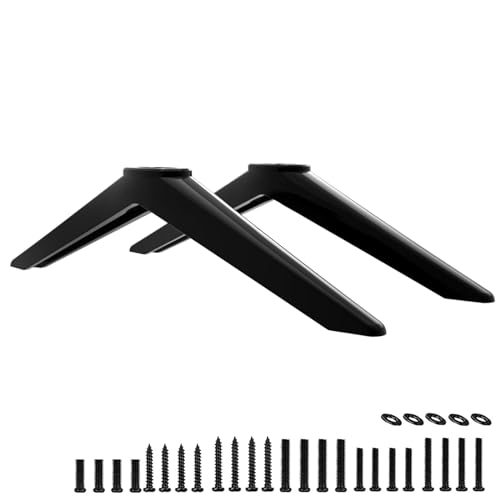
- COMPATIBILITY: TV stand legs for TCL 28" 32" 40" 43" 49" 50" 55" 65" Smart Roku TV, Only for the TCL TV models we listed replacement legs 4K UHD HDR LED Ultra HD TV 28S305 28S405
- SAVE YOUR TIME-WITH SCREWS: Our legs for Roku TV stand comes with 6 kinds of screws and instructions. Save time looking for screws, no more rush to hardware store
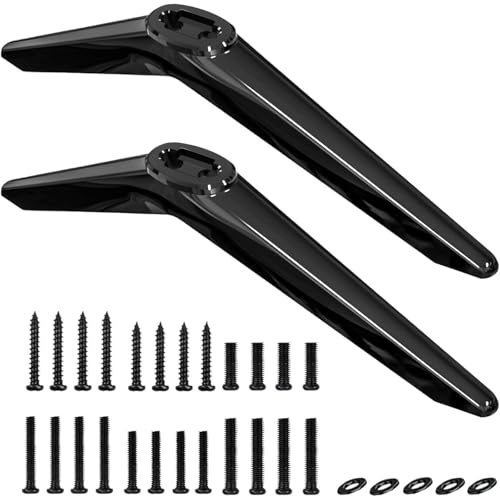
- Compatibility : Replacement Only for
- No Hassle Of Drilling Holes : No need to drill holes in the wall and no damage to your decorations. Place your TV where you want !
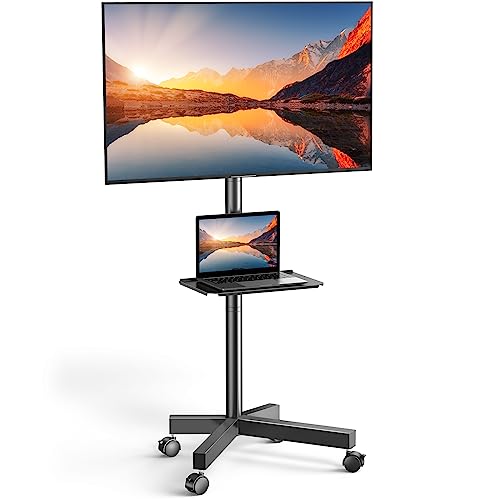
- UNIVERSAL TV CART ON WHEELS: our mobile TV cart fits most 23" to 65" LCD, LED, flat screen and curved TVs weighing up to 99 lbs. This rolling TV cart fits VESA 100x100, 200x100
- HEIGHT ADJUSTABLE TRAY: comes with a sturdy media shelf to hold your laptop, DVD player or gaming devices. Distance from the floor to the AV shelf is from 12" to 24". The wall
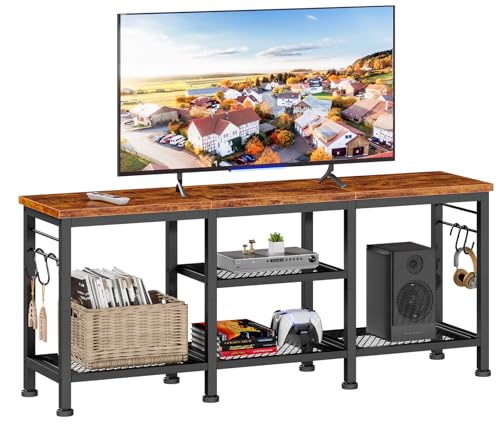
- Ample Storage Space: This tv console has 2 tiers open mesh shelves and 4 hooks, provides ample space to organize and display your media equipment, gaming consoles, DVDs, Xbox, PS4
- Open Space Design Media Stand: Open space means no overheating electronics and provides ease of access for cables. You don't have to worry about the device overheating due to
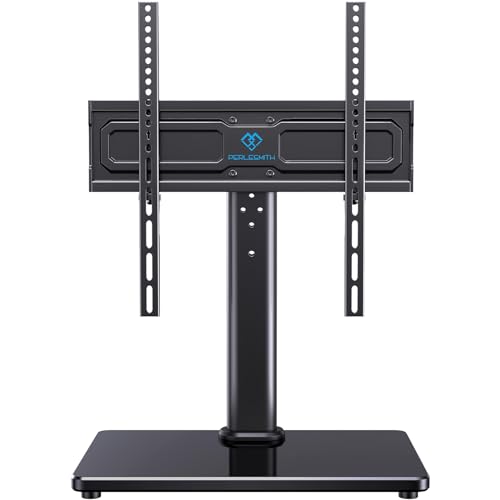
- Wide Compatibility: Our universal TV stand is designed to accommodate TVs of all types and sizes. Supporting screens from 24 to 60 inches and VESA patterns from 100x100mm to
- 50° Extra Swivel Flexibility: Enjoy wider flexibility with a swivel range of 50° left or right to direct the screen toward your viewing position. The swivel TV stand allows you to
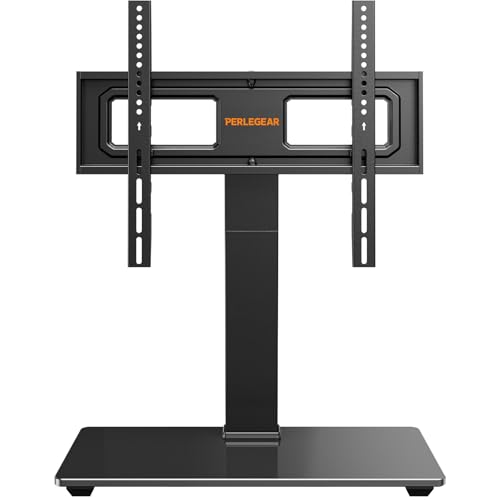
- 【Universal TV stand Holds Most TVs】 The table top TV stand fits 32",40",42",43",50",55",60",65",70" flat-panel LCD/LED TVs, with VESA pattern sizes from 100x100mm, 100x200mm
- 【SWIVELS 60° - Maximize Your Viewing Experience】This universal swivel TV stand allows you to swivel your screen 30° left or right to direct the screen anywhere in the room. The TV
The measuring checklist, in order
1. Get the panel width, not the class size. Find your model's spec sheet ("dimensions without stand"). Rough conversions: 43" ≈ 38" wide, 50" ≈ 44", 55" ≈ 48.5", 65" ≈ 57", 75" ≈ 66", 85" ≈ 74.5". Gotcha: those are panel-only. If your TV has wide splayed feet, the feet can sit wider than you'd guess and are the real constraint.
The best tv stand size guide for your situation depends on how you plan to use it and where.
2. Measure the foot span, outside edge to outside edge. Tape measure across the floor under the TV. Gotcha: many 65"–85" sets use pedestal feet at the extreme corners. On an 85-inch set the outer edges of the feet can span 55–65 inches, and some models offer two foot positions — check whether yours can be moved inward before you assume a narrower stand won't work.
3. Measure foot depth front-to-back. Feet are commonly 10–13 inches deep. Your stand's usable top depth needs to exceed that, plus a safety margin so nothing overhangs. Gotcha: published console depth sometimes includes a back lip or moulding you can't actually stand on.
4. Add the overhang rule. Target a stand 4–12 inches wider than the panel on each side. It looks intentional and it gives you a soundbar landing zone. Gotcha: a stand narrower than the panel is the single most common regret — it reads as top-heavy even when it's mechanically fine.
5. Set the height from your couch, not from a catalog. Sit down. Measure floor to your eye. That's where the screen's vertical center should land — typically 40–44 inches. Subtract half your TV's height (about 21 inches on an 85") and you get the ideal top-surface height: often 20–24 inches, which is exactly why most media consoles land in that range.
6. Check the weight rating against the panel weight, then double-check the shelf. An 85-inch TV commonly runs 90–130 lbs. Gotcha: the rated capacity of a tabletop mount is not the same as the rated capacity of the furniture underneath it.
7. Plan the clearance behind and below. Leave 3–4 inches behind the TV for cables and HDMI bend radius, and if you're using a soundbar, confirm it won't block the IR receiver at the bottom edge of the screen.
What goes wrong, and what fixes it
The TV's feet hang off the ends. Symptom: the console is technically wide enough for the panel, but the feet sit past the edges. Fix: either reposition the feet if your model allows it, or switch to a tabletop mount with a central pedestal — that converts a wide foot span into a footprint of about 10 x 15 inches.
Screen sits too low; you're looking down at it. Symptom: neck ache after an hour, and the bottom of the picture is blocked by the soundbar. Fix: a height-adjustable tabletop base rather than a taller console. Adjustable pedestals give you several fixed positions without changing furniture.
Wobble when you bump the stand. Symptom: the picture shivers. Fix: check that the feet are on solid surface and not straddling a shelf seam, and verify the load rating. Wobble is usually a footprint problem, not a weight problem.
Missing or wrong original legs. Symptom: you inherited a TV with no feet, and the screw holes are a brand-specific pattern. Fix: model-specific replacement legs — but confirm your exact model number appears on the compatibility list, because these are not universal.
Overheating and cable spaghetti. Symptom: the receiver runs hot in a closed cabinet, or you can't reach a port. Fix: open-shelf designs and built-in cable routing. Enclosed cubbies look tidier and cook your electronics.
When the fix is a new one
Furologee TV Stand for TVs up to 55 Inch — a 55-inch-long surface with open shelving
If your measuring exercise says you need a console rather than a base, this one is 55 inches long and rated for TVs up to 55 inches, with two tiers of open mesh shelves, four hooks, and a soundbar shelf. The open design is the part that matters for heat and cable access. Read the current listing and owner reviews yourself before buying. Furologee TV Stand for TVs up to 55 Inch, Entertainment Center with Open Storage Shelves, Media Console Table with Soundbar Shelf for Living Room, Bedroom, Rustic Brown
PERLESMITH Universal Swivel TV Stand PSTVS33 — shrinks a wide foot span to a 14-inch base
Useful when your console is narrower than your TV's feet. It supports 24–60 inch TVs up to 99 lbs on a 14.17 x 9.06 inch tempered glass base, with 12 height positions and 50° of swivel each way. PERLESMITH Universal Swivel TV Stand for 24-60 inch TVs up to 99 lbs, 12 Height Adjustable Table Top TV Stand, TV Base Stand with Tempered Glass Base, Max VESA 400x400mm, PSTVS33
Perlegear Universal Swivel TV Stand Base — the same trick, up to 70 inches
Rated for 32–70 inch TVs and 88 lbs, on a 15.75 x 10.24 inch glass base, with 9 height settings, 60° total swivel and 8° of upward tilt. The listed screen center height of 24 inches at maximum adjustment is the number to check against your seated eye level. Perlegear Universal Swivel TV Stand Base for 32–70 inch TVs, Height Adjustable Table Top TV Stand Mount with Tilt, Tempered Glass Base, Holds up to 88 lbs
PERLESMITH Rolling TV Stand PSTVMC04 — when no fixed footprint works
A mobile cart for 23–65 inch TVs up to 99 lbs, on a 20.8 x 15.7 inch base with locking casters, a height-adjustable AV shelf between 12 and 24 inches off the floor, and cable routing in the column. PERLESMITH Rolling TV Stand on Wheels for 23-65 Inch TVs,Tilt Mobile TV Cart Holds up to 99 lbs with Adjustable Height Shelf, Outdoor TV Stand for Bedroom Max VESA 400x400mm PSTVMC04
TV Legs for TCL Roku TV Stand Legs (Maozhren) — replaces missing feet on listed TCL models
Covers a long list of TCL Roku models from 28" to 65", supports up to 80 lbs, ships with six screw types, and uses 3mm non-slip pads. Match your exact model number to the listing before ordering. TV Legs for TCL Roku TV Stand Legs, for 28" 32" 40" 43" 49" 50" 55" 65" Roku Smart TV, Replacement Legs for TCL TV Legs 55S401 50S546 50S423 43S431 40S325 28S405 with Screws
Base Stand for TCL Smart Tv (Yaotieci) — an alternate TCL-only foot set with stated dimensions
Each leg measures 10.2 x 0.8 x 2.3 inches with an 80 lb max load, which is handy if you're calculating whether your console is deep enough. It is explicitly not universal and not for other TV brands. Base Stand for TCL Smart Tv - Fit for Select Models for 28" 32" 40" 43" 49" 50" 55" 65" TVs, Please Read All Descriptions, 32S305 32S301 40S355 40S325 43S425 43S431 50S431 65S433, Not Universal Legs
FAQ
What size TV stand do I need for an 85-inch TV? An 85-inch panel is roughly 74.5 inches wide, so aim for a console 75 inches or wider — 78–86 inches if you want visual breathing room. Depth should be at least 16–18 inches, and the weight rating should comfortably clear 130 lbs. None of the tabletop bases listed above are rated to 85 inches; for that size you're looking at a wide console or a wall mount.
What are average TV stand dimensions? Most media consoles land between 44 and 70 inches wide, 15 to 18 inches deep, and 20 to 24 inches tall. That height range exists because it puts a typical screen center near seated eye level.
Can a TV stand be narrower than the TV? Mechanically, yes, as long as the feet are fully supported and the load rating is met. Visually it usually looks wrong. If you're stuck with a narrow console, a center-pedestal tabletop mount is the cleaner solution.
How do I know which VESA pattern my TV uses? Measure the horizontal and vertical distance in millimetres between the four threaded holes on the back of the panel. The tabletop mounts above cover patterns from 100x100mm up to 400x400mm.
Related guides
- About Mediafurnish: Our Editorial Team and Research Standards
- Best TV stands and media furniture - TV stands, entertainment centers, media consoles, TV wall mounts, floating media shelves, gaming desks, audio racks, cable management with Past Challenges
- Why Rates Vary for Best TV stands and media furniture - TV stands, entertainment centers, media consoles, TV wall mounts, floating media shelves, gaming desks, audio racks, cable management
Key Takeaways
- Choosing the right tv stand size guide means matching the key features to your specific needs and budget
- Read real customer reviews and check the return policy before you commit
- Compare value across models — the priciest option is not always the best fit