As an Amazon Associate this site earns from qualifying purchases.
Spec comparison
| Product | Screen size | Max weight | VESA range | Stud spacing | Extension (out / in) | Price |
|---|---|---|---|---|---|---|
| USX MOUNT Full Motion (32-70") | 32–70" | 99 lbs | 75x75 – 400x400mm | 12"/16" | 13.89" / 2.59" | Check price on Amazon |
| Amazon Basics Full Motion Articulating | 26–55" | 80 lbs | 3.9"x3.9" – 15.7"x15.7" | Single stud | Not stated | Check price on Amazon |
| IWORKBOARD Full Motion (32-70") | 32–70" | 110 lbs | 75x75 – 400x400mm | 8"/12"/16" | 15.07" / 3.43" | Check price on Amazon |
| USX MOUNT Full Motion (37-84") | 37–84" | 120 lbs (listing also states 132 lbs) | 200x100 – 600x400mm | 12"–16" | 15.02" / 2.62" | Check price on Amazon |
| USX Mount Full Motion (42-90") | 42–90" | 132 lbs | 200x100 – 600x400mm | Max 16" | 16.49" / 2.40" | Check price on Amazon |
| EconoMe TV Wall Mount (32-65") | 32–65" | 99 lbs | 100x100 – 400x400mm | Up to 16" | Not stated | Check price on Amazon |
Quick answer: Pick a mount by matching four numbers in this order — your TV's VESA hole pattern (in millimetres), its weight, its screen size, and the stud spacing behind your wall. VESA is the square or rectangle of four threaded holes on the back of your TV; nearly every mount lists a minimum and maximum VESA range it accepts. If your TV's pattern falls inside that range, the weight is under the rating, and the mount spans your studs, it fits — the screen-size range printed on the box is a rough guide, not the real compatibility test.
- Universal TV
- Upgrade Your Viewing: This swivel TV mount tilts -12°/+5°to reduce glare, and swivels the TV left or right according to your seat position for the best viewing angle. The full
- Important: Watch the video and learn the”Designed for" details listed below!
- Designed for concrete, brick and wood studs wall (single stud)
- [Securely supports TVs up to 70''] The
- [Solid and Sturdy] This swivel TV wall mount made of heavy-duty steel and dual articulating arms that are 30% thicker. Its solid design keeps your TV steady, no wobbling or
- TV wall mount for an elevated viewing experience. This wall mount
- Do you want the flexibility to move your TV around? Tilt up 5°/ down 10°, level +/- 3°, swivel +/-45°. Finding the right articulating TV wall mount, TV can be adaptable to a
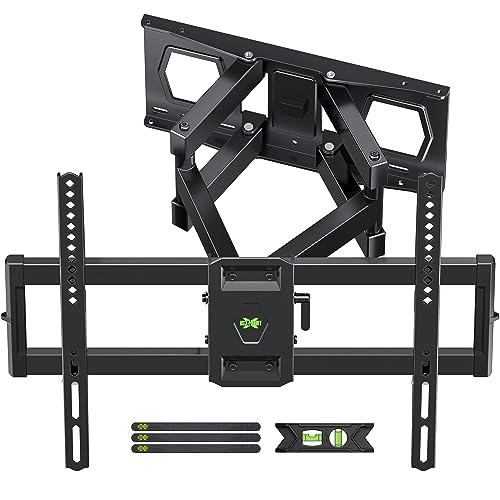
- 【UNIVERSAL TV
- 【SAVING SPACE & HEAVY DUTY】This full-motion TV mount bracket can pull out to 15.16” and retract back to 2.74”, which saves valuable space and make your house look neater. The
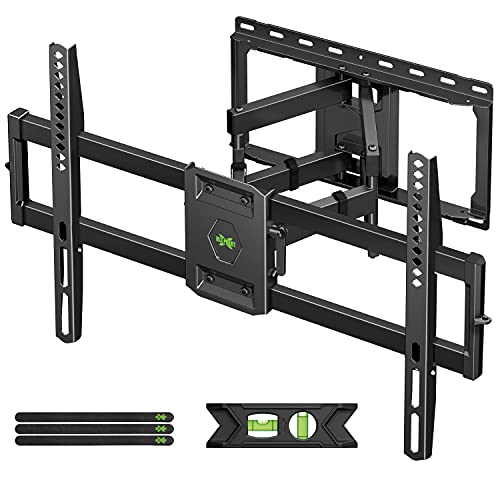
- Universal Design: This full motion TV mount fits for most of 42-90 inch TVs up to 132lbs with VESA size 200*100mm to 600*400mm available and max 16" Wood Stud space. Not perfect
- Adjustable View Comfortable : This TV bracket with dual articulating arms includes +5° /-15° tilt, ±45°swivel( maximum swivel angle depends on your TV). Want to more swivel angle?
What VESA actually means
VESA is a standard from the Video Electronics Standards Association that defines the spacing of the four mounting holes on the back of a display. It's written as horizontal × vertical in millimetres: 200x200, 400x400, 600x400. Measure centre-to-centre between the holes, left-to-right and top-to-bottom. That's your pattern.
Common patterns run 75x75 and 100x100 on small screens, 200x200 and 300x300 in the middle, 400x400 on most 55–65" sets, and 600x400 on large panels. Manufacturers don't always publish it clearly, and some TVs use non-square patterns like 200x100. Measure rather than assume.
The best tv wall mount buyers guide for your situation depends on how you plan to use it and where.
The order to check things in
1. Find and measure the VESA pattern. Get a tape measure on the back of the TV. If the holes are recessed or sit behind a curved back panel, you'll need spacers — most mounts include them, but check.
Gotcha: Some TVs ship with the holes filled by factory screws holding a plastic cover. Remove those before measuring, and note the screw thread size (M4, M6, M8) while you're there.
2. Weigh the TV. The weight on the spec sheet usually excludes the stand. Mount ratings are for the panel alone. If your TV's listed weight includes the base, you have headroom — but don't cut it close.
Gotcha: Full-motion mounts lose effective capacity at full extension in the sense that leverage stresses the wall anchors more. Buy above your actual weight, not exactly at it.
3. Check screen size against the mount's stated range. This matters less than VESA and weight, but a 70" panel on a mount rated to 55" will have too little bracket width to grip the panel securely, and the arms may not reach the mounting holes.
Gotcha: Very light, very large TVs sometimes fall outside a mount's size range while being well within its weight rating. The size range still applies.
4. Find your studs and measure the spacing. Standard US framing is 16" on centre; older or custom builds may be 12" or 24". Use a stud finder, then confirm by drilling a small pilot hole.
Gotcha: Single-stud mounts sit on one stud only and generally cap out lower on weight and size. Two-stud mounts spread the load and support bigger screens. Read which one you're buying.
5. Decide fixed, tilting, or full-motion. Fixed sits flat and is cheapest. Tilting angles down for high placement. Full motion (articulating) swivels, extends, and retracts — the right answer for corner rooms, kitchens, or anywhere with more than one seating position.
Gotcha: Full-motion mounts stick out further when retracted than fixed ones. Check the retracted depth if you want a flush look.
6. Confirm your wall type. Wood studs, concrete, and brick all work with most mounts. Drywall alone does not, ever, regardless of what anchor packaging claims.
What goes wrong, and what fixes it
The mount doesn't line up with the TV holes. Symptom: Screws reach two holes but not the other two. Fix: You bought outside the VESA range, or the pattern is non-square (200x100) and the mount only accepts square patterns. Return it and match the exact pattern.
Screws are the wrong length or thread. Symptom: Screws bottom out early or spin freely. Fix: You need a different metric size — M8x45mm and M8x50mm are common on large panels and often are not in the box. Contact the seller before buying more hardware; several brands ship replacements directly.
The TV sags or tilts after installation. Symptom: Screen sits visibly off-level. Fix: Look for a post-installation level adjustment — many articulating mounts include a few degrees of correction at the bracket. If yours doesn't, the wall plate itself needs re-shimming.
The mount pulls away from the wall. Symptom: Visible gap or cracking drywall. Fix: This is almost always a drywall-only install. Stop using it, find real studs, and remount.
Cables won't reach when extended. Symptom: HDMI unplugs at full swivel. Fix: Measure the mount's maximum extension, then buy cables at least that much longer, plus slack for the arc.
Note the Amazon Basics VESA range is published in inches; 3.9" is roughly 100mm and 15.7" is roughly 400mm. Also note that one of the USX listings states 120 lbs in the title and 132 lbs in the feature text — worth clarifying with the seller before you rely on the higher number.
When the fix is a new one
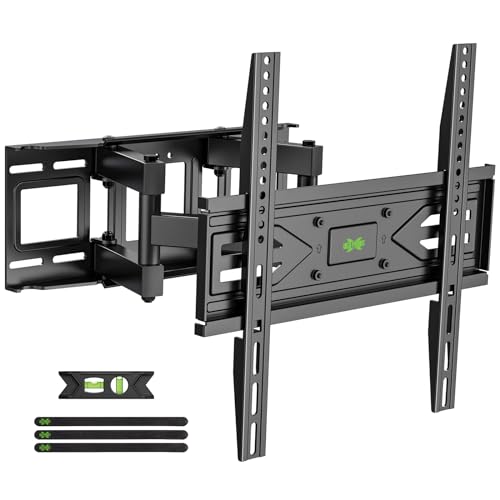
USX MOUNT Full Motion TV Wall Mount for Most 32-70 inch TVs up to 99 lbs, Wall Mount Bracket with Dual Articulating Arms, Swivel, Tilt, Max VESA 400x400mm, TV Mount Fits 12”/16” Wood Studs — covers the common mid-size VESA range
If your TV lands anywhere between 75x75 and 400x400mm and weighs under 99 lbs, this covers the widest slice of ordinary living-room sets. It tilts -12°/+5°, extends 13.89" and retracts to 2.59", and mounts to 12" or 16" wood studs, concrete, or brick. USX MOUNT Full Motion TV Wall Mount for Most 32-70 inch TVs up to 99 lbs, Wall Mount Bracket with Dual Articulating Arms, Swivel, Tilt, Max VESA 400x400mm, TV Mount Fits 12”/16” Wood Studs
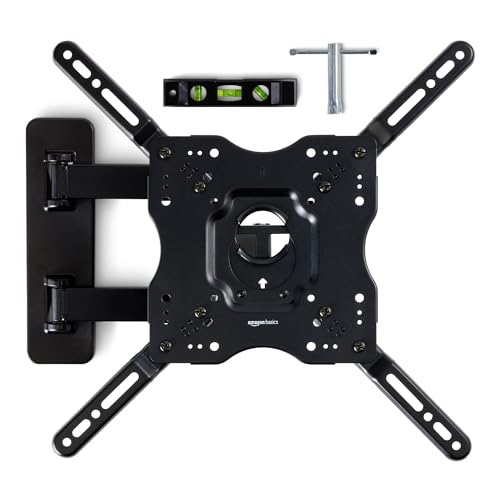
Amazon Basics Full Motion Articulating TV Wall Mount, with Swivel and Tilt, for 26" to 55" TVs and Flat Panels up to 80 Lbs, VESA Compatible, Single Stud, Black — solves the one-stud problem
Sometimes there's only one stud where the TV needs to go. This is designed for single-stud installation on concrete, brick, or wood, for 26–55" displays up to 80 lbs, with a +10°/-5° tilt range. Amazon Basics Full Motion Articulating TV Wall Mount, with Swivel and Tilt, for 26" to 55" TVs and Flat Panels up to 80 Lbs, VESA Compatible, Single Stud, Black
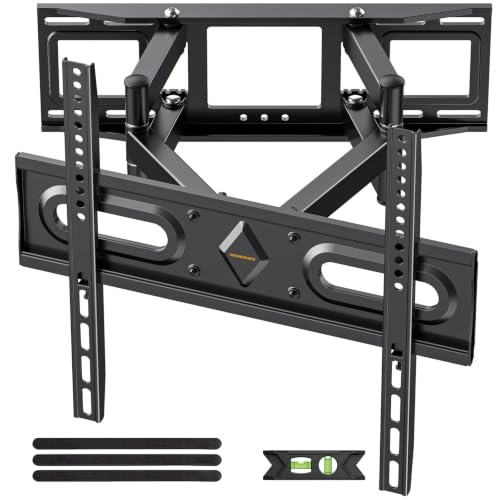
IWORKBOARD 50 55 65 inch Full Motion TV Wall Mount for 32-70 inch TV Bracket, Dual articulating Arms Mount, Tilt Swivel Extension Level, Max VESA 400x400mm, 16" Studs, 110 lbs,Fit Most 40 43 50+ TVs — handles 8" stud spacing
Unusual framing is a real problem, and this one lists 8", 12", and 16" wood stud compatibility. It also offers ±4° levelling after installation, which is the feature you want if your wall isn't perfectly plumb. Rated to 110 lbs, 75x75–400x400mm. IWORKBOARD 50 55 65 inch Full Motion TV Wall Mount for 32-70 inch TV Bracket, Dual articulating Arms Mount, Tilt Swivel Extension Level, Max VESA 400x400mm, 16" Studs, 110 lbs,Fit Most 40 43 50+ TVs
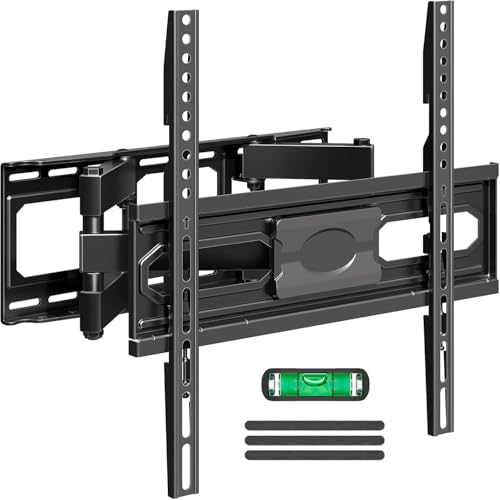
Full Motion TV Wall Mount for Most 37"-84" Flat Screen TV, Swivel or Tilt TV Wall Bracket with Dual Articulating Arms, for 12"-16" Wood Studs, Max VESA 600x400mm, Load 120 lbs by USX MOUNT — steps up to 600x400 VESA
Once your TV uses a 600x400mm pattern, the 400x400-max mounts are out. This accepts 200x100 through 600x400mm for 37–84" screens, extends 15.02", retracts to 2.62", and includes a bubble level and cable ties. Full Motion TV Wall Mount for Most 37"-84" Flat Screen TV, Swivel or Tilt TV Wall Bracket with Dual Articulating Arms, for 12"-16" Wood Studs, Max VESA 600x400mm, Load 120 lbs by USX MOUNT
USX Mount Full Motion TV Wall Mount for Most 42-90 inch Flat Screen/LED/4K, TV Mount Bracket Dual Swivel Articulating Tilt 6 Arms, Max 16" Wood Studs, VESA 600x400mm, Holds up to 132lbs — reaches 90" panels
For the largest screens, this covers 42–90" up to 132 lbs on 200x100–600x400mm patterns, with the longest extension in this group at 16.49" and a 2.40" retracted depth. USX Mount Full Motion TV Wall Mount for Most 42-90 inch Flat Screen/LED/4K, TV Mount Bracket Dual Swivel Articulating Tilt 6 Arms, Max 16" Wood Studs, VESA 600x400mm, Holds up to 132lbs
EconoMe TV Wall Mount for Most 32-65 inch Flat Screen/LED/4K TVs, TV Mount with Swivel and Tilt Articulating Dual Arms, Full Motion Wall Mount up to 16” Stud, Max VESA 400X400mm, up to 99lbs — comes with a paper drill template
Marking drill holes accurately is where most DIY installs go sideways. This one includes a paper mounting template and a level tool, fits 32–65" TVs up to 99 lbs on 100x100–400x400mm patterns, and swivels ±45°. EconoMe TV Wall Mount for Most 32-65 inch Flat Screen/LED/4K TVs, TV Mount with Swivel and Tilt Articulating Dual Arms, Full Motion Wall Mount up to 16” Stud, Max VESA 400X400mm, up to 99lbs
FAQ
Is there a universal TV mount size chart? Not a reliable one. Screen-size ranges vary between manufacturers because they're derived from bracket width and weight rating, not a standard. Use the VESA pattern and weight as your real chart; treat inch ranges as a sanity check.
What if my VESA pattern is smaller than the mount's minimum? Adapter plates exist that convert a small pattern up to a larger one. They add depth and a small amount of wobble, so prefer a mount that natively covers your pattern where possible.
Can I mount a TV on drywall without hitting a stud? No. Every mount listed here explicitly warns against drywall-only installation. If there's no stud where you need one, you need a mounting board fastened across two studs, or a professional install.
How do I judge how good a mount actually is before buying? Check the current customer reviews on the product page yourself, especially the ones with photos of finished installs and any that mention your specific TV size. Look for comments about hardware completeness and instruction clarity — those are the two things that most often turn a 30-minute job into a weekend.
Related guides
- TV Stand or Wall Mount: How to Choose for Your Room
- Best TV stands and media furniture - TV stands, entertainment centers, media consoles, TV wall mounts, floating media shelves, gaming desks, audio racks, cable management for First-Time Buyers
- Editorial Policy: How Mediafurnish Researches and Reviews Products
Key Takeaways
- Choosing the right tv wall mount buyers guide means matching the key features to your specific needs and budget
- Read real customer reviews and check the return policy before you commit
- Compare value across models — the priciest option is not always the best fit