As an Amazon Associate this site earns from qualifying purchases.
Spec and compatibility table
| Product | TV size range | Weight capacity | VESA support | Height adjustment | Price |
|---|---|---|---|---|---|
| Maozhren TV Legs for TCL Roku TV | 28"–65" (listed TCL models only) | Up to 80 lbs | Not applicable | Not stated | Check price on Amazon |
| Yaotieci Base Stand for TCL Smart Tv | 28"–65" (select TCL models only) | Up to 80 lbs | Not applicable | Not stated | Check price on Amazon |
| PERLESMITH PSTVMC04 Rolling TV Stand | 23"–65" | Up to 99 lbs | 100x100 to 400x400mm | AV shelf 12"–24" from floor | Check price on Amazon |
| Furologee TV Stand for TVs up to 55 Inch | Up to 55" | Not stated | Not applicable | Not stated | Check price on Amazon |
| PERLESMITH PSTVMC06 Rolling TV Stand | 23"–60" | Up to 88 lbs | 100x100 to 400x400mm | Not stated | Check price on Amazon |
| Perlegear Universal Swivel TV Stand Base | 32"–70" | Up to 88 lbs | 100x100 to 400x400mm | 9 levels, screen center to 24" | Check price on Amazon |
Quick answer: Your TV stand should be at least as wide as your TV — ideally 4–6 inches wider on each side — and tall enough that the center of the screen lands near your seated eye level, usually 40–45 inches from the floor. Measure your TV's actual width (not the advertised diagonal) and the distance between its feet before you shop. Those two numbers, plus your couch height, decide almost everything.
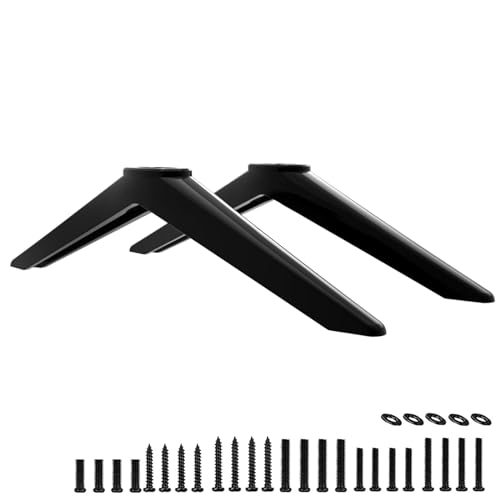
- COMPATIBILITY: TV stand legs for TCL 28" 32" 40" 43" 49" 50" 55" 65" Smart Roku TV, Only for the TCL TV models we listed replacement legs 4K UHD HDR LED Ultra HD TV 28S305 28S405
- SAVE YOUR TIME-WITH SCREWS: Our legs for Roku TV stand comes with 6 kinds of screws and instructions. Save time looking for screws, no more rush to hardware store
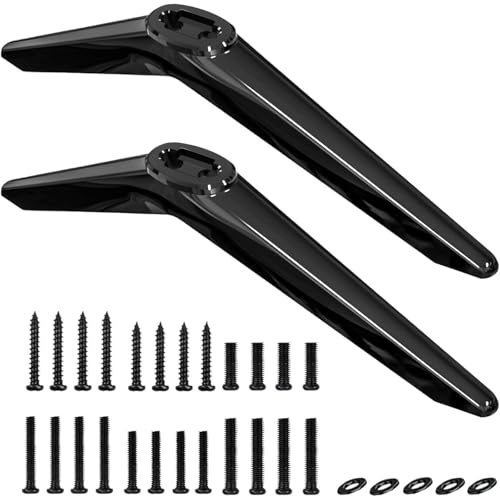
- Compatibility : Replacement Only for
- No Hassle Of Drilling Holes : No need to drill holes in the wall and no damage to your decorations. Place your TV where you want !
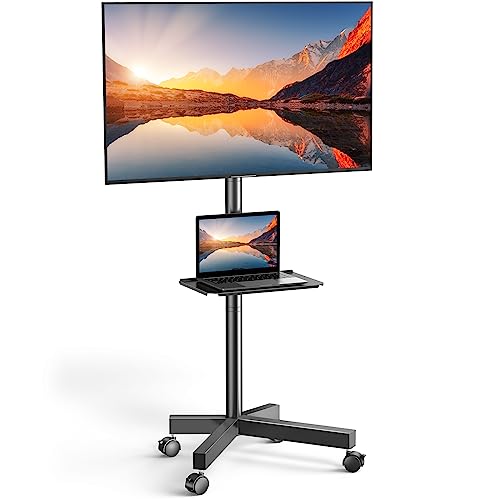
- UNIVERSAL TV CART ON WHEELS: our mobile TV cart fits most 23" to 65" LCD, LED, flat screen and curved TVs weighing up to 99 lbs. This rolling TV cart fits VESA 100x100, 200x100
- HEIGHT ADJUSTABLE TRAY: comes with a sturdy media shelf to hold your laptop, DVD player or gaming devices. Distance from the floor to the AV shelf is from 12" to 24". The wall
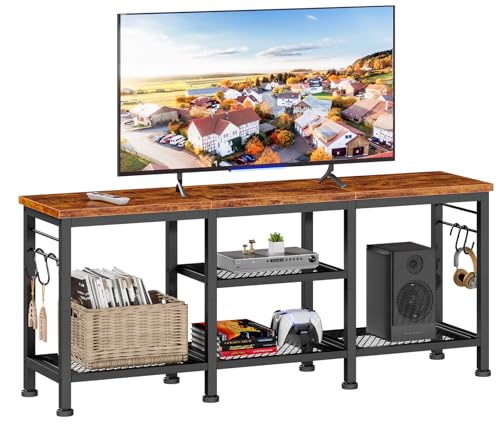
- Ample Storage Space: This tv console has 2 tiers open mesh shelves and 4 hooks, provides ample space to organize and display your media equipment, gaming consoles, DVDs, Xbox, PS4
- Open Space Design Media Stand: Open space means no overheating electronics and provides ease of access for cables. You don't have to worry about the device overheating due to
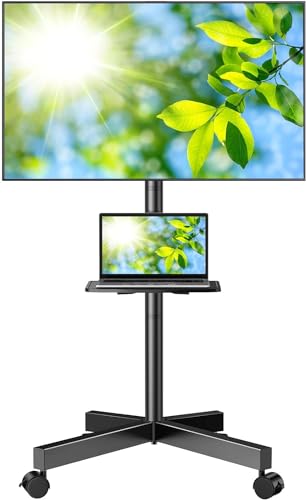
- Tilt up 5° & Tilt down 10° - Maximize Your Viewing Experience】 This TV stand with wheels is not only a rolling TV cart but an in-home convenient TV cart. portable tv stand on
- 【Ultra Strong TV Stand-Hold up to 88Lbs 】This TV rolling stand can withstand 88Lbs of weight. In terms of pressure-bearing capacity and quality, the use of cold-rolled steel pipes
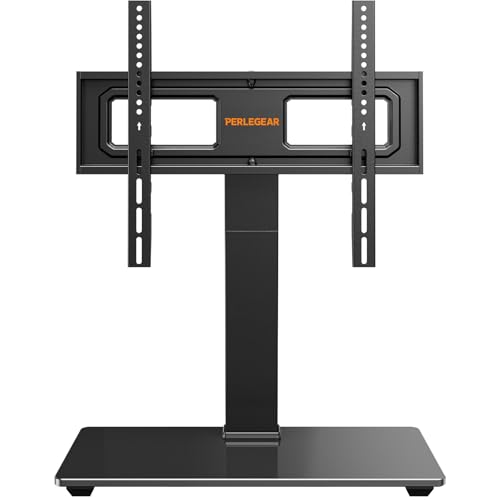
- 【Universal TV stand Holds Most TVs】 The table top TV stand fits 32",40",42",43",50",55",60",65",70" flat-panel LCD/LED TVs, with VESA pattern sizes from 100x100mm, 100x200mm
- 【SWIVELS 60° - Maximize Your Viewing Experience】This universal swivel TV stand allows you to swivel your screen 30° left or right to direct the screen anywhere in the room. The TV
The measurement checklist, in order
Do these in sequence. Skipping step 2 is how people end up returning furniture.
1. Measure your TV's real width, not its inch rating. A "55-inch TV" is 55 inches diagonally. Its actual width is closer to 48–49 inches. Pull out a tape measure and measure edge to edge, bezel included. Gotcha: people buy a 48-inch console for a 55-inch TV thinking it'll be snug, then discover the TV overhangs by an inch on each side and the feet are hanging in mid-air.
The best how to choose tv stand size for your situation depends on how you plan to use it and where.
2. Measure the distance between the TV's feet — outside edge to outside edge. This is the number that actually determines whether the TV can sit on a surface at all. Many modern TVs have feet planted near the far corners, so the footprint is nearly as wide as the panel. Others have a single center pedestal, which needs far less width but concentrates all the weight in one spot. Gotcha: if your feet span 44 inches, a 44-inch console is a fail. You need real surface on the outside of each foot, not a foot balanced on the edge.
3. Decide your target screen-center height. Sit on your actual couch. Measure from the floor to your eyes. That's usually 38–44 inches. The center of the screen should land within a few inches of that. Then work backward: screen-center height minus half your TV's panel height = the stand height you want. For a 55-inch TV (roughly 28 inches tall), a 42-inch eye level means a stand around 28 inches high. Gotcha: most media consoles are 16–24 inches tall, which is why so many living rooms end up with the TV too low and everyone craning down. That's a real thing — it's not just you.
4. Add the width margin. Once you know the TV's width, add 8–12 inches total for visual balance and to leave room for a soundbar, a speaker, or a plant that isn't in danger. This is the rule that makes a room look designed rather than assembled.
5. Check depth against your components. An AV receiver or a game console needs about 14–16 inches of depth plus a few inches behind for cables and airflow. Measure your deepest box. Gotcha: a shallow console looks great until the HDMI cable's bend radius pushes the whole unit forward two inches.
6. Check the shelf clearance for your soundbar. Soundbars are typically 2.5–4 inches tall. If your console has a fixed shelf with 3 inches of clearance, measure before assuming.
7. Confirm weight capacity. Look up your TV's weight. Most 55-inch sets run 30–40 lbs; 65-inch and up can hit 60 lbs or more. Then check what your stand or base is rated to hold — and remember that rating usually assumes an evenly distributed, centered load.
What goes wrong, and how to fix it
Failure: TV overhangs the stand. Symptom: the panel's edges float past the furniture; the setup looks precarious and toddlers or pets can bump it into a tip. Fix: either go up a console size, or take the TV off the surface entirely — a wall mount or a floor-standing cart removes the width constraint completely.
Failure: the feet don't fit even though the console is wide enough. Symptom: one foot sits on the very lip of the surface, or you can't get both feet on at once. Fix: replacement legs with a narrower stance, or a table-top mount with a small pedestal base that replaces the feet altogether.
Failure: TV is too low, so you look down at it. Symptom: neck ache after a movie, and you find yourself sliding down the couch. Fix: a height-adjustable table-top base, or a taller console. Stacking books under it is not a fix.
Failure: the stand wobbles when you touch it. Symptom: the screen shivers when someone walks past. Fix: usually a foot or leg problem — check for missing non-slip pads and re-tighten every screw. If a TV foot is cracked or missing, replace the feet rather than shimming.
Failure: heat buildup in a closed cabinet. Symptom: the receiver or console runs hot, fans spin loudly, occasional shutdowns. Fix: move to open-shelf furniture, or drill/leave vents. Enclosed cabinets with no airflow are the single most common cause of gear dying early.
Failure: bought for the room you have now, not the TV you'll buy next. Symptom: you upgrade from 55 to 65 inches and the console is instantly obsolete. Fix: size up front. The cost difference between a 55-inch and 65-inch-capable stand is usually small.
When the fix is a new one
Sometimes the sizing math tells you the furniture you own can't work. These are the shapes of solution that change the equation — check current specs and owner reviews yourself before committing.
PERLESMITH Rolling TV Stand on Wheels for 23-65 Inch TVs — removes the width problem entirely
If your console will never be wide enough, stop trying to solve it with furniture width. The PERLESMITH Rolling TV Stand on Wheels for 23-65 Inch TVs mounts the TV to a VESA plate (100x100 through 400x400mm) on a wheeled column rated to 99 lbs, so footprint stops mattering. Its base is 20.8" x 15.7" with locking casters, and the AV shelf adjusts from 12" to 24" off the floor. It tilts down 5° and up 10°, and cable management runs inside the column.
Perlegear Universal Swivel TV Stand Base for 32–70 inch TVs — fixes height and foot-span in one part
When the TV is too low or the feet won't fit your surface, the Perlegear Universal Swivel TV Stand Base for 32–70 inch TVs replaces the stock feet with a pyramid column on a 15.75" x 10.24" tempered glass base. It offers 9 height configurations — up to a 24" screen-center height — plus 60° of swivel and 8° of tilt, and holds up to 88 lbs. Verify your VESA pattern first.
PERLESMITH Rolling TV Stand, Mobile TV Stand for 23-60 Inch LCD LED TVs — for rooms where the TV has to move
If the answer to "what size stand" is "different sizes in different rooms," the PERLESMITH Rolling TV Stand, Mobile TV Stand for 23-60 Inch LCD LED TVs covers 23"–60" TVs up to 88 lbs on VESA patterns to 400x400mm, with tilt up 5° and down 10° and lockable PU wheels. No drilling, which matters if you rent.
Furologee TV Stand for TVs up to 55 Inch — a 55-inch-wide surface with airflow built in
For a conventional console sized to a 55-inch TV, the Furologee TV Stand for TVs up to 55 Inch is 55 inches long with two tiers of open mesh shelves, four hooks, and a soundbar shelf. The open design is the important part here: no enclosed compartment means no heat trap for a console or receiver.
Maozhren TV Legs for TCL Roku TV Stand Legs — when the feet, not the furniture, are the problem
If you own a listed TCL Roku set and the legs are broken, missing, or splayed too wide, Maozhren's TV Legs for TCL Roku TV Stand Legs are ABS replacements rated to 80 lbs, with 6 screw types included and 3mm non-slip pads. Match your exact model number against the compatibility list — it's model-specific, not universal.
Yaotieci Base Stand for TCL Smart Tv — a second replacement-leg option for select TCL sets
The Yaotieci Base Stand for TCL Smart Tv covers select TCL models from 28"–65", ships as two legs measuring 10.2" x 0.8" x 2.3" with an 80 lb max load, and installs in about five minutes. Explicitly not universal — not for Onn, Insignia, Hisense, LG and others — so confirm your model first.
FAQ
Should the TV stand be wider than the TV? Yes. Aim for at least as wide, and preferably 4–6 inches wider on each side. It looks intentional and it gives the feet real surface to grip.
How high should a TV stand be? Work backward from seated eye level. Most people land at 38–44 inches from floor to eye. Subtract half the TV panel's height from that number and you have your ideal stand height.
Can a 65-inch TV sit on a 55-inch stand? Physically, sometimes — a center-pedestal TV might balance. But the panel will overhang by roughly six inches on each side and the setup will be tip-prone. If you're stuck, mount the TV instead of resting it.
What if my TV's feet are too far apart for any console I like? Replace the feet with a narrower table-top base, or move to a mount. Foot span is a property of the TV, not a law of physics — it's swappable.
Related guides
- Best TV stands and media furniture - TV stands, entertainment centers, media consoles, TV wall mounts, floating media shelves, gaming desks, audio racks, cable management for First-Time Buyers
- Best TV stands and media furniture - TV stands, entertainment centers, media consoles, TV wall mounts, floating media shelves, gaming desks, audio racks, cable management with High Value Assets
- Privacy Policy
Key Takeaways
- Choosing the right how to choose tv stand size means matching the key features to your specific needs and budget
- Read real customer reviews and check the return policy before you commit
- Compare value across models — the priciest option is not always the best fit