As an Amazon Associate this site earns from qualifying purchases.
Specification table
| Product | Fits TV sizes | Weight capacity | Max VESA | Base / surface | Height adjustment | Swivel / tilt | Price |
|---|---|---|---|---|---|---|---|
| PERLESMITH PSTVMC04 (rolling cart) | 23–65 in | 99 lbs | 400x400mm | 20.8" x 15.7" base, four locking casters | AV shelf 12"–24" from floor; plate adjustable | Tilt down 5°, up 10° | Check price on Amazon |
| Perlegear Universal Swivel TV Stand Base | 32–70 in | 88 lbs | 400x400mm | 15.75" x 10.24" tempered glass | 9 levels | Swivel 60° total, tilt up 8° | Check price on Amazon |
| PERLESMITH PSTVS33 | 24–60 in | 99 lbs | 400x400mm | 8mm, 14.17" x 9.06" tempered glass | 12 levels, up to 15.63" | Swivel 50° each way | Check price on Amazon |
| PERLESMITH PSTVS04-N2 | 32–70 in | 99 lbs | 400x400mm | Black tempered glass, size not stated | 8 levels | Not stated | Check price on Amazon |
| Hemudu HT02B-001 | 19–43 in | 99 lbs | 200x200mm | 8mm tempered glass, size not stated | 4 levels | Swivel 45° each way | Check price on Amazon |
| Hemudu Universal TV Stand (27–60 in) | 27–60 in | 88 lbs | 400x400mm | Tempered glass, size not stated | 9 levels | Not stated | Check price on Amazon |
Quick answer: Measure your TV's actual width — not the screen-size number — then buy a stand at least 3–6 inches wider than that on each side. Check the stand's weight rating against your TV's weight, and aim for a top surface that puts the middle of the screen at roughly your seated eye level, usually 40–45 inches off the floor. If you're using a mount-style base instead of a cabinet, you also need your TV's VESA hole pattern.
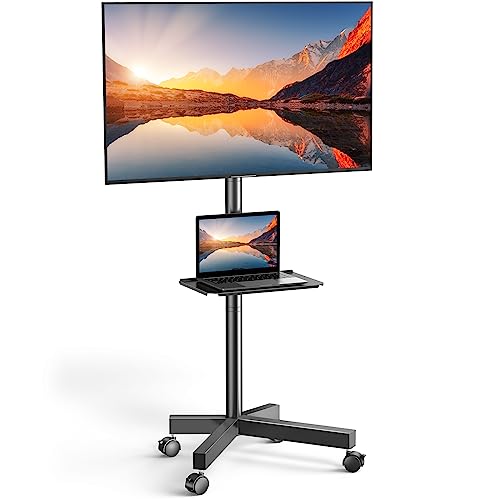
- UNIVERSAL TV CART ON WHEELS: our mobile TV cart fits most 23" to 65" LCD, LED, flat screen and curved TVs weighing up to 99 lbs. This rolling TV cart fits VESA 100x100, 200x100
- HEIGHT ADJUSTABLE TRAY: comes with a sturdy media shelf to hold your laptop, DVD player or gaming devices. Distance from the floor to the AV shelf is from 12" to 24". The wall
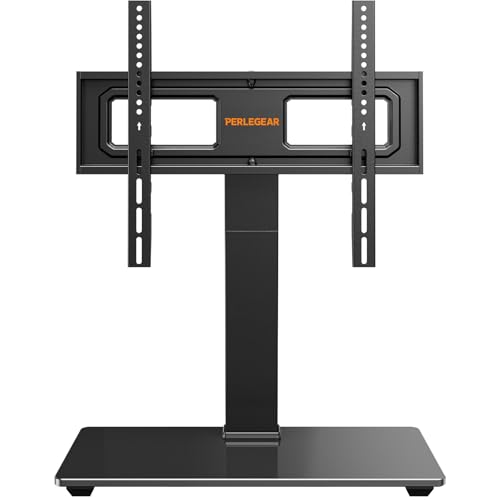
- 【Universal TV stand Holds Most TVs】 The table top TV stand fits 32",40",42",43",50",55",60",65",70" flat-panel LCD/LED TVs, with VESA pattern sizes from 100x100mm, 100x200mm
- 【SWIVELS 60° - Maximize Your Viewing Experience】This universal swivel TV stand allows you to swivel your screen 30° left or right to direct the screen anywhere in the room. The TV
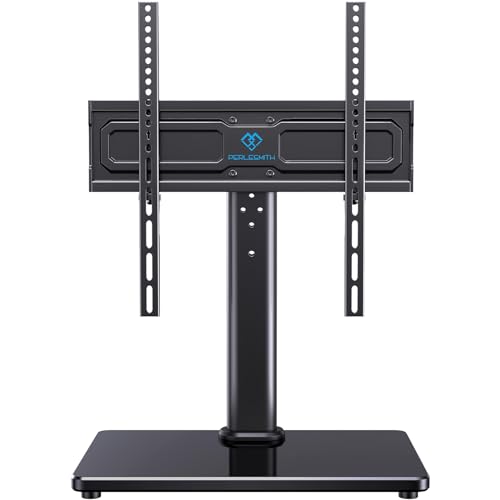
- Wide Compatibility: Our universal TV stand is designed to accommodate TVs of all types and sizes. Supporting screens from 24 to 60 inches and VESA patterns from 100x100mm to
- 50° Extra Swivel Flexibility: Enjoy wider flexibility with a swivel range of 50° left or right to direct the screen toward your viewing position. The swivel TV stand allows you to
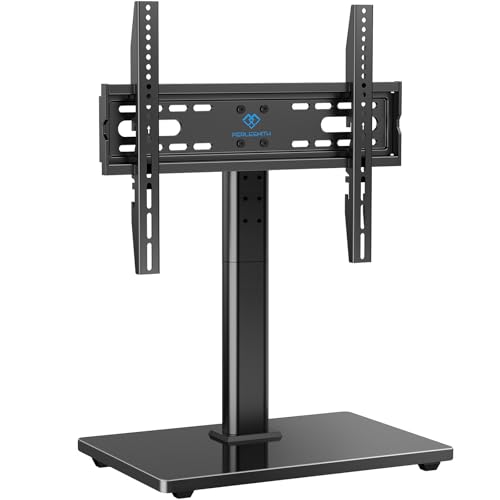
- 【Universal TV Stand Holds 32"-70" TVs 】The TV stand mount fits 32" - 70" LCD/LED/OLED Flat/Curved screen or monitor hold up to 99lbs, compatible faceplate fits VESA 100X100mm
- 【8 Levels of Height Adjustment】This table top tv stand offers 2 mounting bracket options and 4 height settings, allowing you to customize the viewing height for optimal comfort
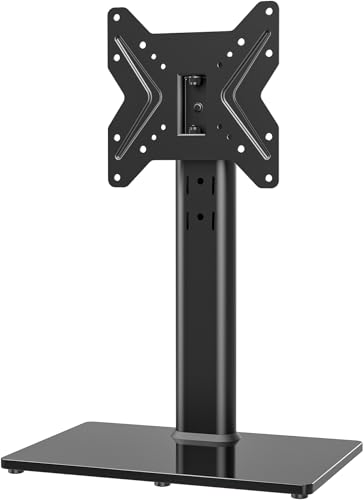
- STABILITY AND MANY APPLICATIONS UNIVERSAL TV STAND Designed with a heavy duty steel elliptical panel and 8mm tempered glass base, my stability free standing TV mount can
- HEAVY DUTY TV STAND WITH EASY ASSEMBLY My intelligent stand can be installed within 15 minutes according to a detailed instruction manual, the tools and television screws
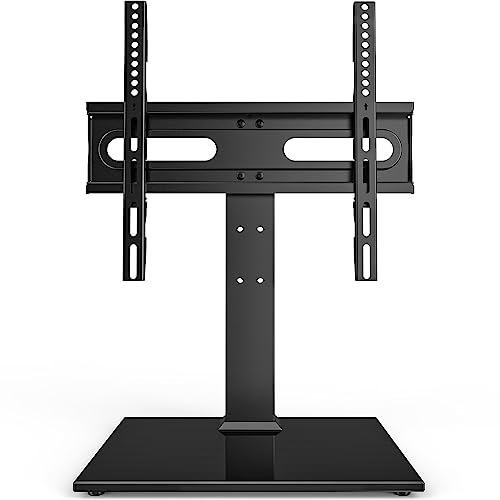
- 【SMART DESIGN】 Universal TV mounting bracket design fits most 27" - 60" flat-panel LCD/LED/Plasma TVs up to 88lbs, VESA(mounting hole pattern) - compatible faceplate fits VESA
- 【HEAVY DUTY TV STAND WITH EASY ASSEMBLY】 My intelligent stand can be installed within 15 minutes according to a detailed instruction manual, the tools and television screws
The four numbers you actually need
A "55-inch TV" is not 55 inches wide. That number is the diagonal of the screen glass, corner to corner, and it ignores the bezel and the frame. A typical 55-inch set measures around 48–49 inches wide. That single misunderstanding is behind most stand returns.
Here's what to write down before you shop:
Finding the right how to measure for a tv stand comes down to matching the features to how you will actually use it.
- TV width — outside edge to outside edge of the frame, not the screen.
- TV weight — on the spec sheet or the sticker on the back panel. Every stand has a hard limit.
- Foot spread (for cabinets) — the outside-to-outside distance between the TV's two feet. If your TV has splayed legs rather than a center pedestal, the stand top has to be wider than that spread, or the feet hang in mid-air.
- VESA pattern (for mount-style bases) — the distance between the four threaded holes on the back of the TV, measured horizontally then vertically, in millimeters. 400x400 means the holes are 400mm apart both ways.
The sizing rules worth following
Width. The stand should be wider than the TV. Three to six inches of overhang on each side looks intentional and gives you margin if you upgrade the TV later. A stand narrower than the TV reads as unstable even when it isn't.
Height. Sit on your couch. Measure from the floor to your eyes. That's your target for the center of the screen. Most sofas land people around 40–45 inches. Now subtract half your TV's height from that number — that's how tall the stand's top surface should be. A 55-inch TV is roughly 28 inches tall, so you'd want a surface around 26–31 inches. Most media consoles run 20–26 inches, which is why so many people end up looking slightly upward.
Adjustable-height bases exist specifically to fix this gap. The PERLESMITH Universal Swivel TV Stand for 24-60 inch TVs up to 99 lbs, 12 Height Adjustable Table Top TV Stand, TV Base Stand with Tempered Glass Base, Max VESA 400x400mm, PSTVS33 offers 12 height configurations from 4 pillar heights and 2 bracket heights, assembling up to 15.63 inches tall at the mounting plate — which lets you raise the screen without buying a taller cabinet.
Depth. Measure the depth of your TV's feet or pedestal, and make sure the stand's surface is deeper than that plus a margin. Also check that the stand's depth doesn't block a walkway. Under 18 inches is generally safe in tight rooms.
Weight. Match your TV's weight against the stand's stated capacity, and remember the soundbar, console, and receiver you'll pile on it.
How to measure VESA properly
Look at the back of your TV. You'll see four threaded holes in a rectangle or square. Measure center-to-center horizontally, then center-to-center vertically, in millimeters. Write it as horizontal x vertical: 200x100, 300x300, 400x400.
Two common traps. First, some TVs ship with the holes covered by plastic plugs or partly hidden behind a recess — pop the covers off before you measure. Second, a stand rated "max VESA 400x400" doesn't automatically fit smaller patterns; check the listed pattern range. The Perlegear Universal Swivel TV Stand Base for 32–70 inch TVs, Height Adjustable Table Top TV Stand Mount with Tilt, Tempered Glass Base, Holds up to 88 lbs lists ten patterns from 100x100 up to 400x400, and its own listing tells you to verify your TV's pattern before buying. That's the right instinct — do it with any base.
Who this measuring approach is for
You're the right audience if you're buying a stand before the TV arrives, replacing a stand for a TV you already own, or trying to work out whether a base will fit into a shelf nook or on top of an existing console. It's also for anyone who's had a delivery show up too narrow and doesn't want a second round trip.
If your TV has a wide splayed-leg design, this matters more than usual — foot spread, not screen width, is your binding constraint.
Who should skip the whole exercise
If you're wall-mounting the TV and the furniture below is purely for storage, you don't need most of this. Buy the console you like at the width that suits the wall, and let the wall bracket handle the TV.
Skip it too if your TV came with a pedestal you're happy with and you're only shopping for a media cabinet — in that case measure the pedestal footprint and stop there. And if you're renting a space short-term where the TV moves rooms often, a fixed-height base is the wrong tool; a cart makes more sense.
The honest trade-offs
Glass bases look tidy but have a small footprint. The PSTVS33's base is 14.17" x 9.06". That's fine on a wide console, but on a narrow shelf you have less margin for error, and the whole assembly's stability depends on the base sitting flat.
Taller isn't automatically better. Raising the screen buys you clearance for a soundbar, but pushes the center of gravity up. Extra height gears are a convenience, not a free upgrade.
Universal ranges are generous at both ends. A base rated 32–70 inches will physically hold both, but a 70-inch panel on a small glass base is right at the edge of what the design intends. If your TV is near the top of a stand's range, treat the weight limit as a hard ceiling rather than a target.
Cheaper stands often omit specs. Several listings here state glass thickness but not glass dimensions. If exact footprint matters for your shelf, that's a real gap.
What to check on the listing before you buy
- Current price. Prices in the table above are what was listed and they move constantly.
- The variant you're actually clicking. Many of these have multiple size or color options on one page; the specs change between them.
- Warranty and returns. Check what the seller states on the page today.
- Customer reviews and Q&A. Go read them yourself — buyers frequently post the real base dimensions and mounting-hole photos that the bullet points omit.
- Included hardware. Screw sizes vary by TV brand; confirm what ships in the box.
PERLESMITH Rolling TV Stand — consider instead if…
…the TV needs to move. The PERLESMITH Rolling TV Stand on Wheels for 23-65 Inch TVs,Tilt Mobile TV Cart Holds up to 99 lbs with Adjustable Height Shelf, Outdoor TV Stand for Bedroom Max VESA 400x400mm PSTVMC04 sits on four locking casters over a 20.8" x 15.7" base, holds 23–65 inch TVs up to 99 lbs, and carries an AV shelf adjustable from 12" to 24" off the floor. Cable routing runs inside the metal column. If your measuring problem is "this room today, that room tomorrow," a cart sidesteps the fixed-height math entirely.
PERLESMITH PSTVS04-N2 — consider instead if…
…your TV is on the larger side and you want a plain, fixed-position base. The PERLESMITH Universal TV Stand Legs for 32-70 inch TVs up to 99 lbs, Height Adjustable Tabletop Television Stand Mount, Universal TV Base for Livingroom & Bedroom, VESA 400x400mm PSTVS04-N2 handles 32–70 inch panels up to 99 lbs, offers 8 height settings from 2 bracket options and 4 height positions, and installs in about 15 minutes. No swivel is stated — which is a simplification, not a flaw, if the TV faces one direction anyway.
Hemudu HT02B-001 — consider instead if…
…you're measuring for a smaller screen. The Universal Swivel TV/Table Top TV Stand for 19 to 43 inch TVs with 90 Degree Swivel, 4 Level Height Adjustable, Heavy Duty Tempered Glass Base, Holds up to 99LBS HT02B-001 covers 19–43 inches with VESA patterns from 75x75 to 200x200 and holds up to 99 lbs. Note that ceiling on VESA — if your TV measures 300x300 or wider, this one is out regardless of screen size. It swivels 45° each way and has 4 height levels plus a cable pass-through.
Hemudu Universal TV Stand (27–60 inch) — consider instead if…
…you want more height steps at a low price. The Universal TV Stand - Table Top TV Stand for 27-60 inch LCD LED TVs - 9 Level Height Adjustable TV Base Stand with Tempered Glass Base & Wire Management, VESA 400x400mm lists 9 height levels, fits 27–60 inch panels up to 88 lbs, and covers VESA patterns from 100x100 to 400x400 with wire management built in. The 88 lb rating is the number to check against your TV first.
FAQ
How much wider than my TV should the stand be? Aim for 3–6 inches of overhang on each side. So a 55-inch TV, roughly 48 inches wide, wants a stand of about 54–60 inches. Wider is fine; narrower looks wrong and limits future upgrades.
My TV is 65 inches — how wide is that really? Roughly 57 inches for most current sets, but bezels vary by model and year. Don't estimate. Pull a tape measure across the front of the actual TV, or find the "dimensions without stand" line on the manufacturer's spec page.
How do I find my VESA pattern if there's no manual? Measure it directly: center-to-center between the horizontal pair of holes, then center-to-center between the vertical pair, both in millimeters. Common results are 200x200, 300x300 and 400x400. Some TVs hide the holes under snap-off plastic covers.
What height should the TV stand be? Work backwards from your seated eye height. Measure floor-to-eye while sitting on your couch, subtract half your TV's height, and that's the ideal top surface. If your existing console is too low, an adjustable base on top of it is usually cheaper than replacing the furniture.
Related guides
- How to Choose the Right TV Wall Mount for Your TV
- How to Install Floating Media Shelves Without Sagging
- Best TV stands and media furniture - TV stands, entertainment centers, media consoles, TV wall mounts, floating media shelves, gaming desks, audio racks, cable management for First-Time Buyers
Key Takeaways
- Choosing the right how to measure for a tv stand means matching the key features to your specific needs and budget
- Read real customer reviews and check the return policy before you commit
- Compare value across models — the priciest option is not always the best fit